
“Is it on the van?”
Someone calls the shop, someone checks, someone guesses.
Material tracking for electrical contractors
See what's on your van and on every other van, with low stock flagged, right from your phone.
See how it works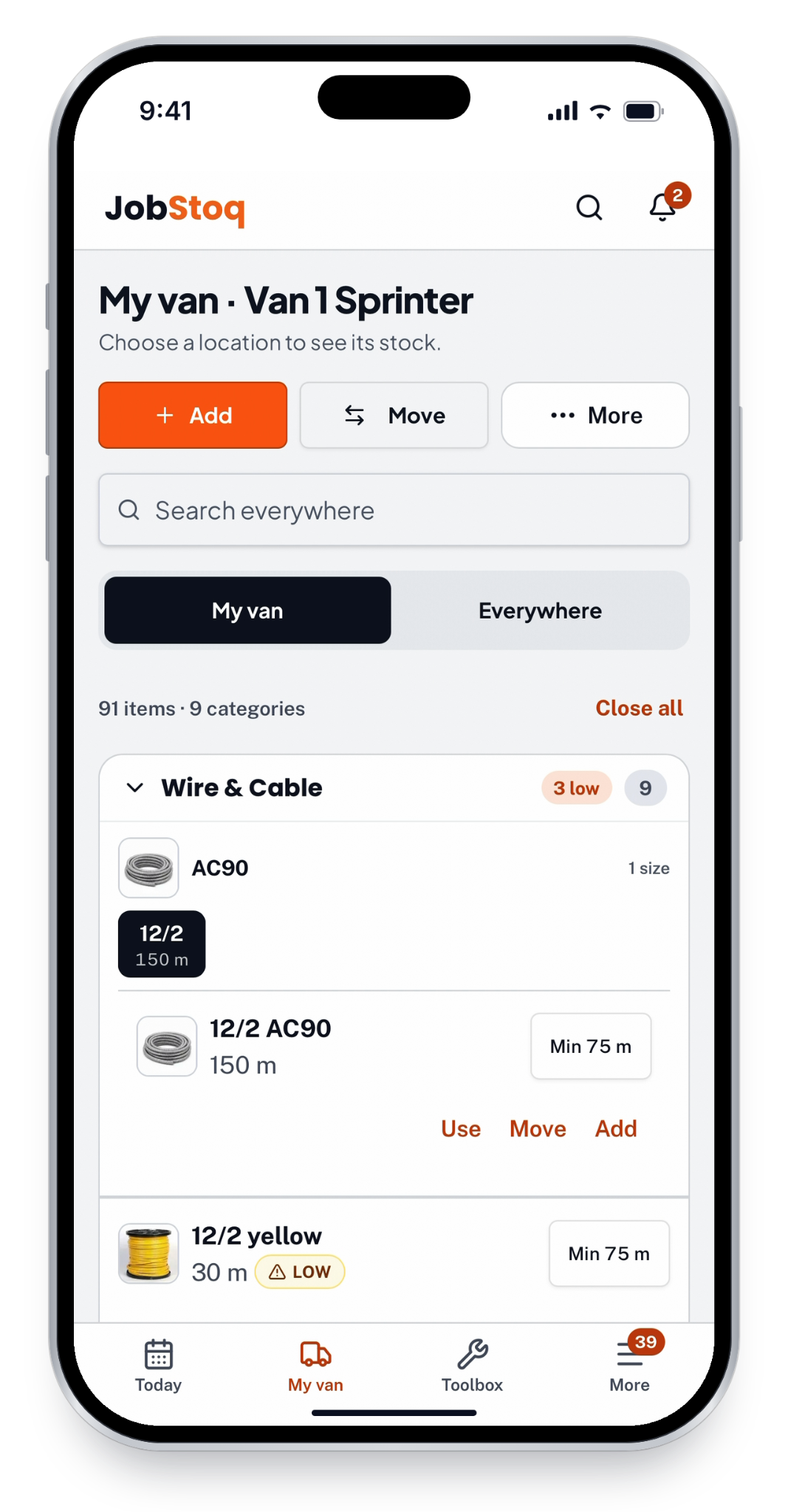
The daily material chase
Someone calls the shop, someone checks, someone guesses.
The spool was in another van the whole time.
An hour gone for a box of connectors.
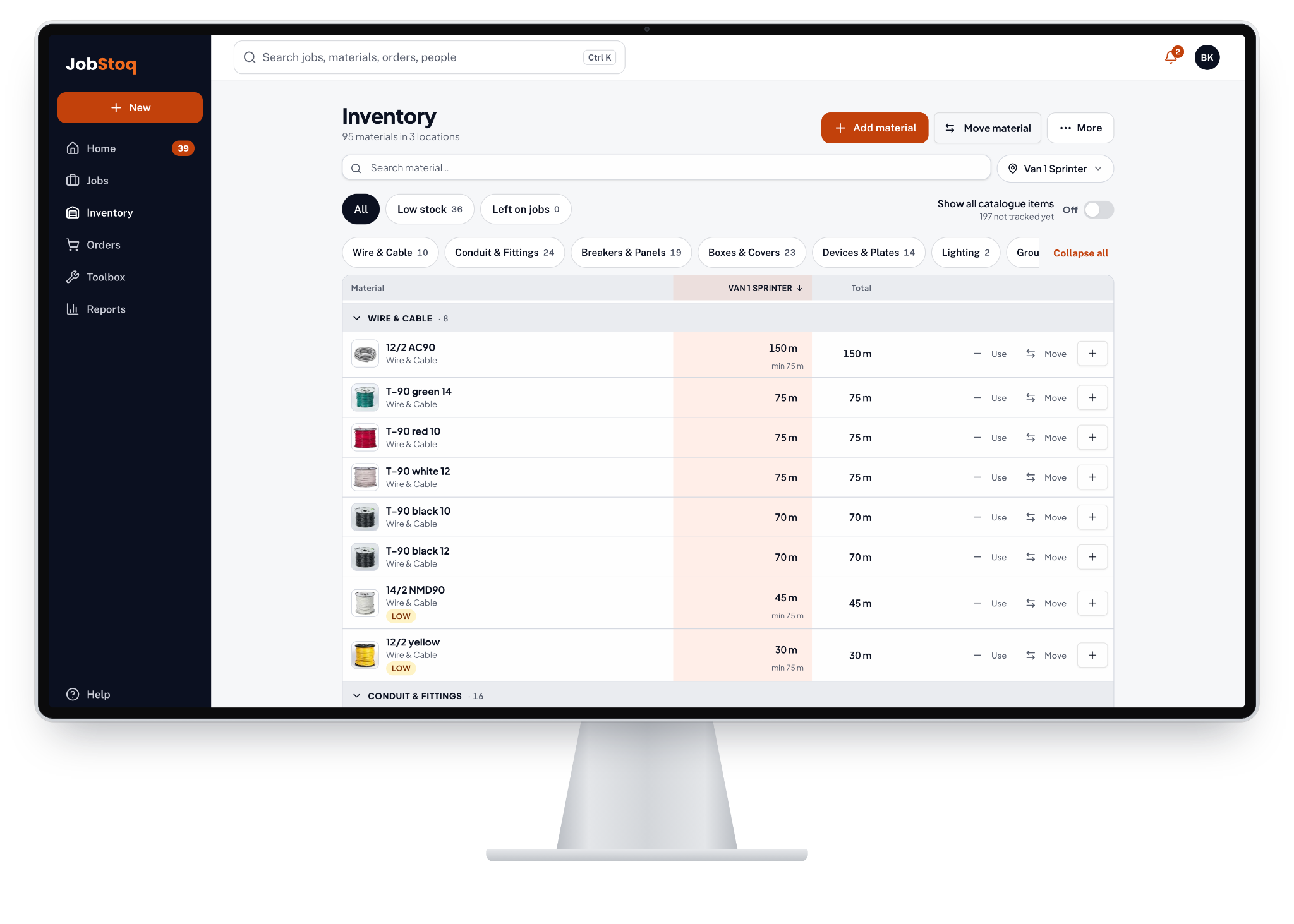
JobStoq puts every van, the shop and every job on one screen.
What it costs you
Enter your numbers. See the time you could put back into the job.
Start with the example values below, then adjust them to match your company. Include travel, waiting and pickup time.
Your estimated opportunity
All amounts in Canadian dollars (CAD)
Monthly = weekly × 4.33.
Annual = weekly × 48 working weeks.
Recovered time creates potential capacity; actual billings depend on available work and scheduling.
Estimates are based on the numbers you enter.
JobStoq can help improve material visibility, but results will vary by company.
How it works
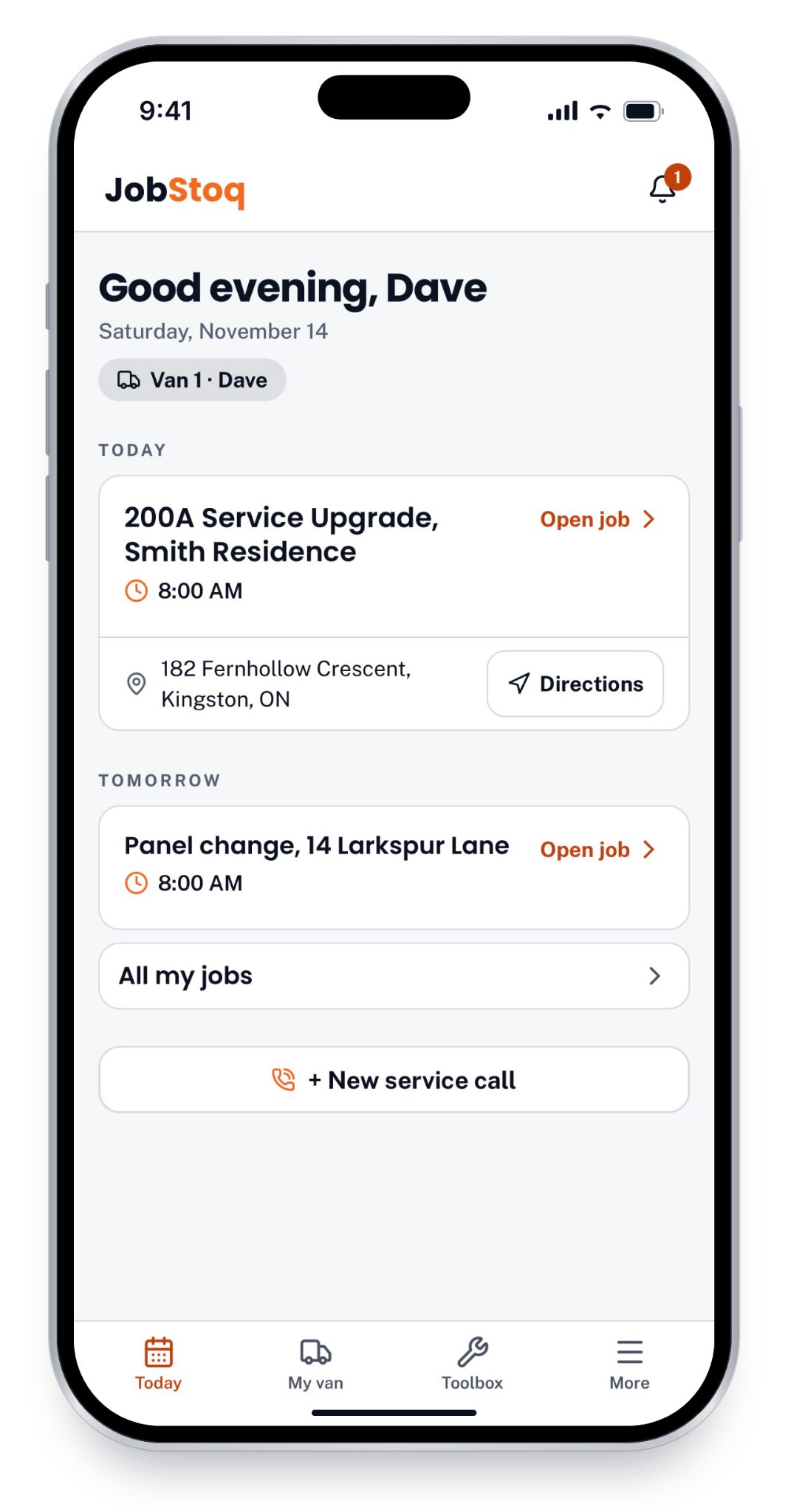
Each tech sees today's and tomorrow's jobs, the van they're on, and directions to the site.
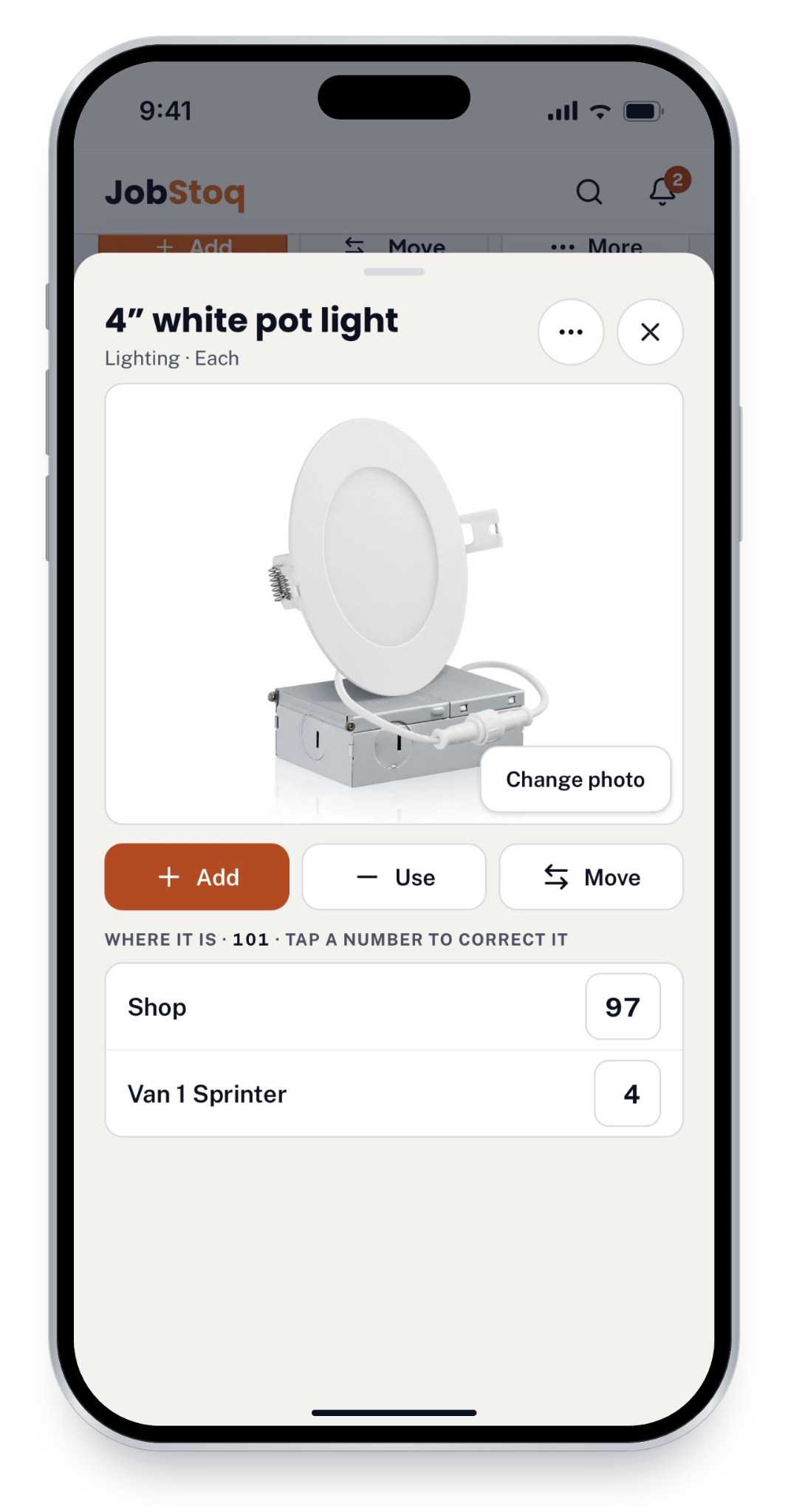
Open any material to see how many are in the shop and on each van, then add, use or move it.
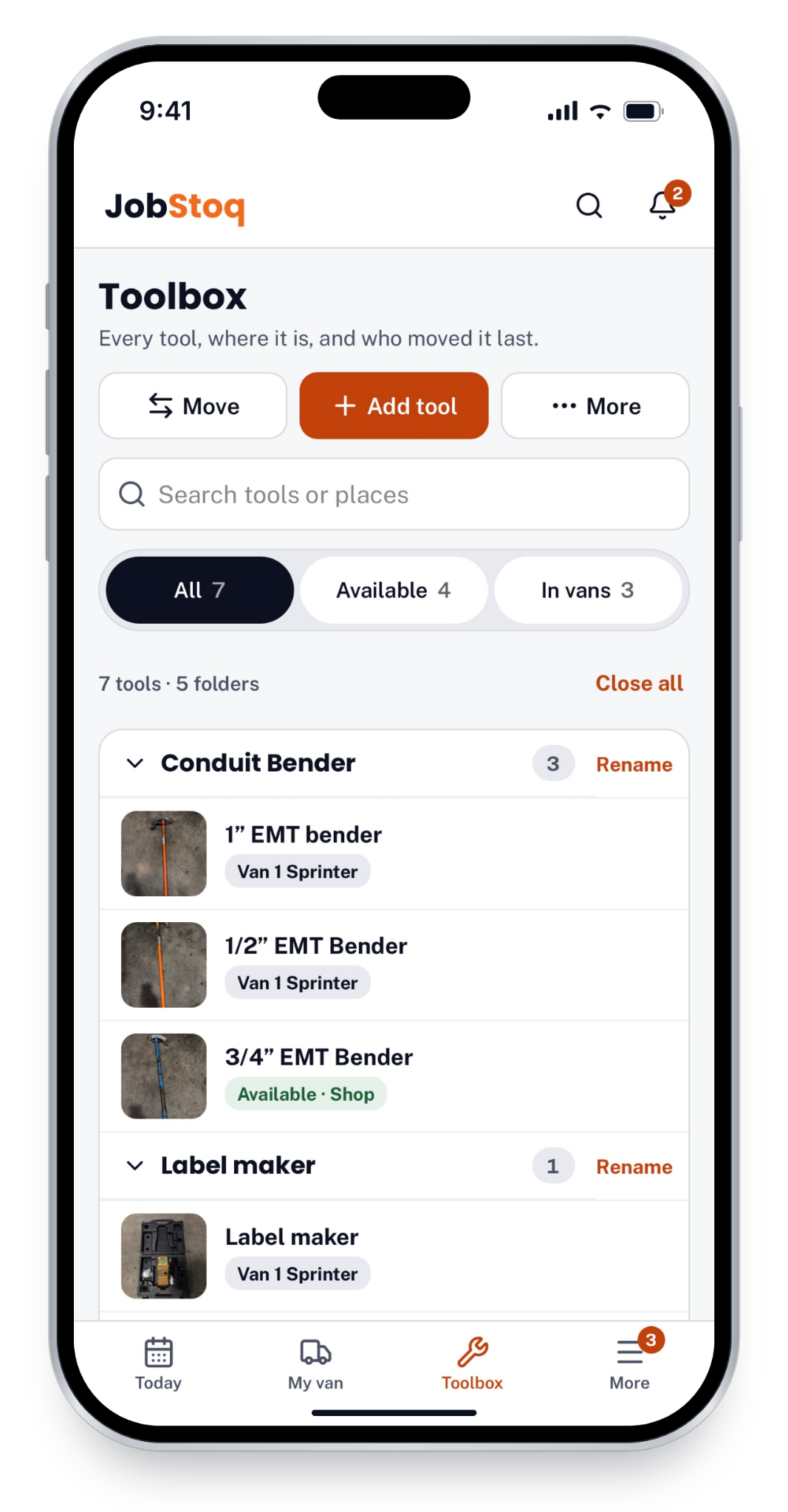
Tools sorted into folders, each showing where it is right now: on a van or available in the shop.
IN THE OFFICE
Pick any van or the shop to see its stock next to the company total, filter what's running low, and use or move material from your desk.
For your crew. For the owner.
In the van
Crews never see prices.
In the office
OUR STORY
17 years in the trade. One problem that never went away.
No matter where I worked or how big the company was, nobody really knew what materials they had. JobStoq was built to fix that.
Read the full story →Contractors shouldn't have to waste time and money searching for materials they've already paid for.
Brandon Kidd, Founder of JobStoq
Join the free pilot
Free for Ontario electrical shops in the pilot.
No credit card.
A walkthrough set up with your own vans and material.
A few answers
Electrical contractors who keep material on vans, in a shop and on jobs.
The pilot is free for Ontario shops we accept.
No. They see their van, move material and finish their day with a few taps.
No. Prices are for owners and the office only.
Your vans, your shop, your crew's emails and the material you carry.
It works on iPhone and Android phones and on a computer.